
Today I’m going to explore the different lighting options we have for cabins in Pocket Camp. Lighting in cabins comes from two places—your room settings and lighting items—but this post will only cover lighting from room settings (lighting items will be a separate post). Keep reading to learn more.
Overview
When you are in the room design interface, there are four circles at the right side of the screen. These are your room settings: camera angle, fill light, windows, and zoom. These are indicated by a movie camera icon, lightbulb, window, and four arrows respectively. Camera angle and zoom apply only in the design interface, but the settings for fill light and windows will carry over when you leave the design interface.
Types of light
There are three types of light that you need to know about when designing your cabin interiors.
- Fill light: a bright, even light that fills the scene and illuminates all items evenly. Managed by the fill light setting (lightbulb icon).
- Natural light: light that comes from outside, i.e. sunlight or moonlight. Managed by the windows setting (window icon).
- Ambient light: light that comes from various different sources in the scene, e.g. lamps, LCD displays, decor items. Managed by lighting items placed in the room (again, this will be a separate post).
If you are familiar with photography, you probably know that ambient lighting is considered the sum of natural light and the light sources in the scene. I will be treating them as separate entities for clarity when describing the settings and mechanics of Pocket Camp.
Here is a list of the different combinations of light types that are possible in Pocket Camp cabins and their corresponding settings:
- Fill light only: fill light on, windows off
- Fill and natural light: fill light on, windows on
- Natural and ambient light: fill light off, windows on
- Ambient light only: fill light off, windows off
Below is an image comparing the view in the design interface based on the room settings. From left to right: fill light only, fill and natural light, natural and ambient light, ambient light only. This set of images was taken at day time.

As you can see, without any ambient light (i.e. lighting items), the scene gets rather dim when the fill light is turned off.
Here is an image comparing snapshots in the room with each combination of settings. This set of images was also taken at day time. (Please note, I have removed the window item depicted in the layout view, so that the default window is visible.)
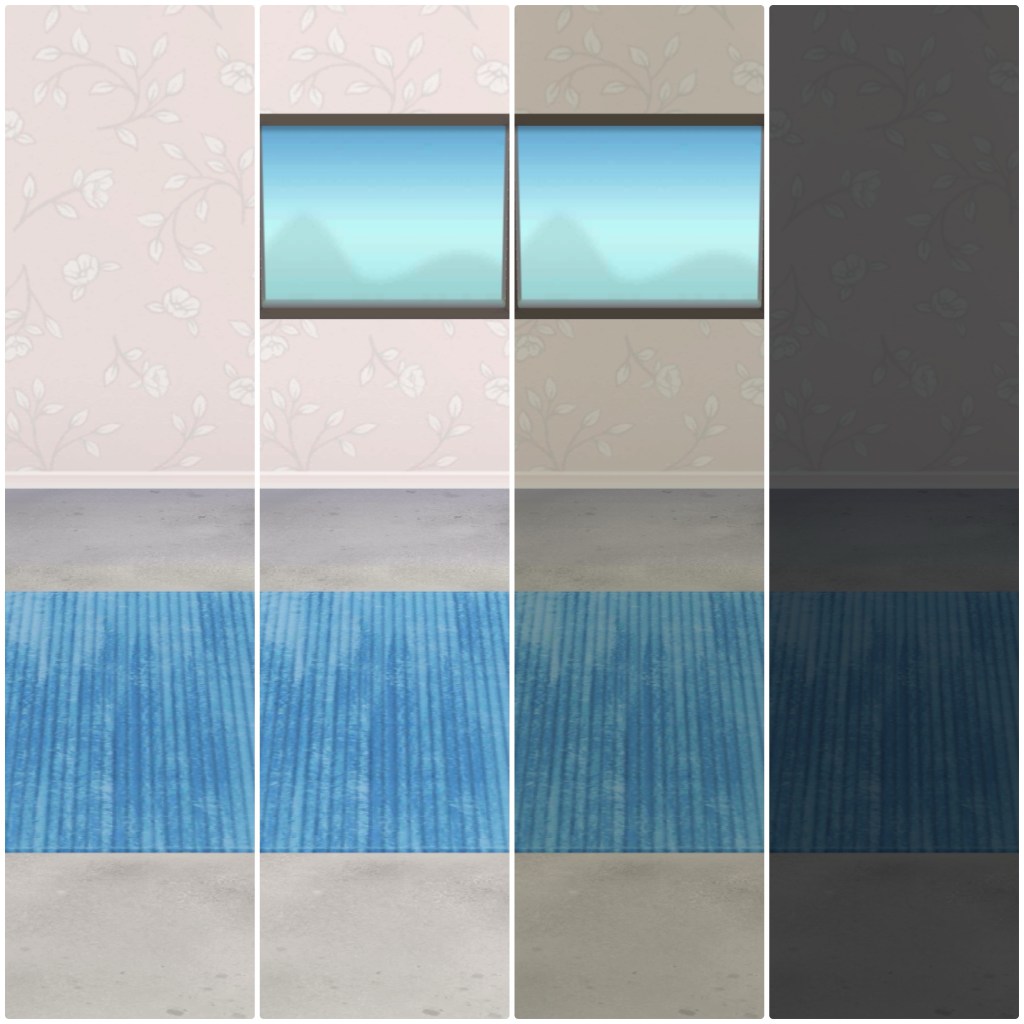
If you look at the first two panels, you’ll notice that during the daytime, there is virtually no difference between fill light only and fill light with natural light (i.e. windows). Here is the same set of snapshots taken at sunset:
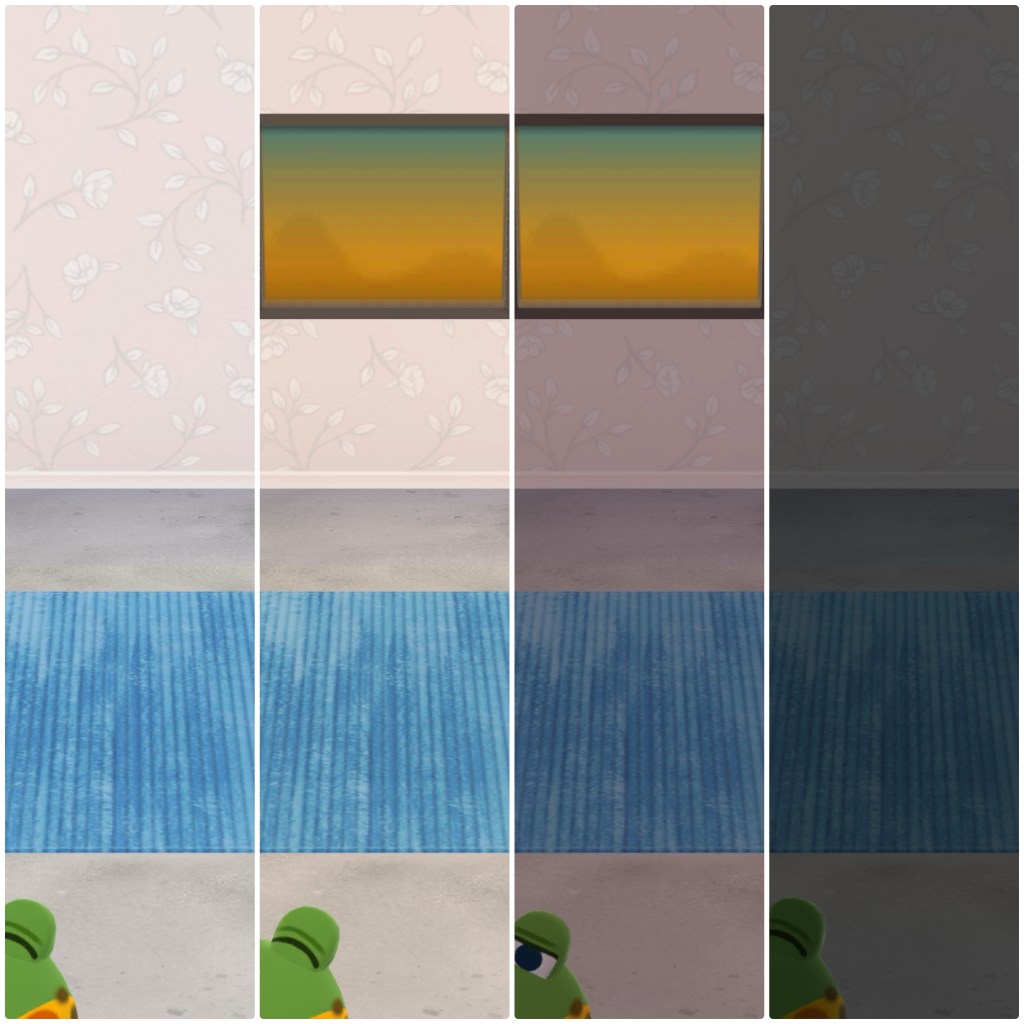
As you can see, the natural lighting has a warm color cast, as befits the golden hour (or as we Pocket Camp fans like to call it, ‘perfecto time.’)
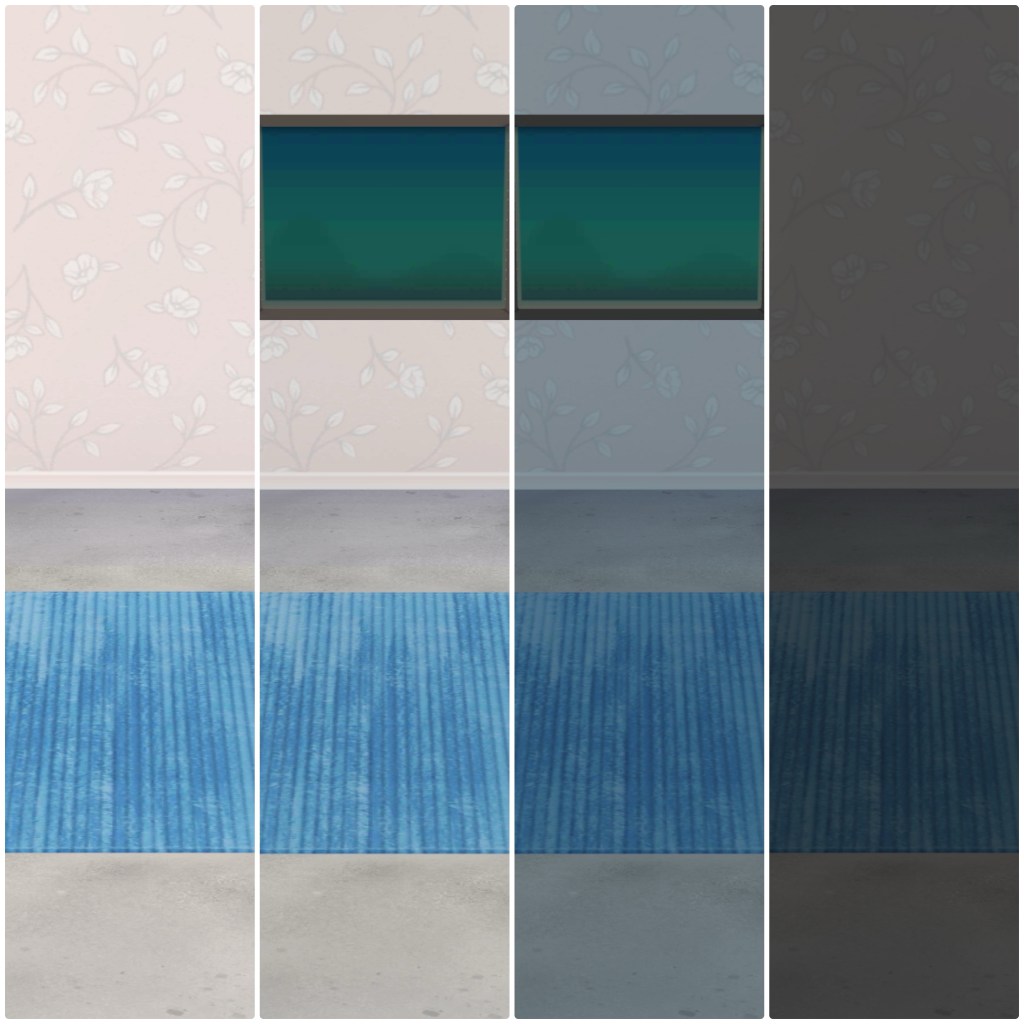
Here are the same snapshots at nighttime; you’ll notice that the natural lighting now has a cool color cast.
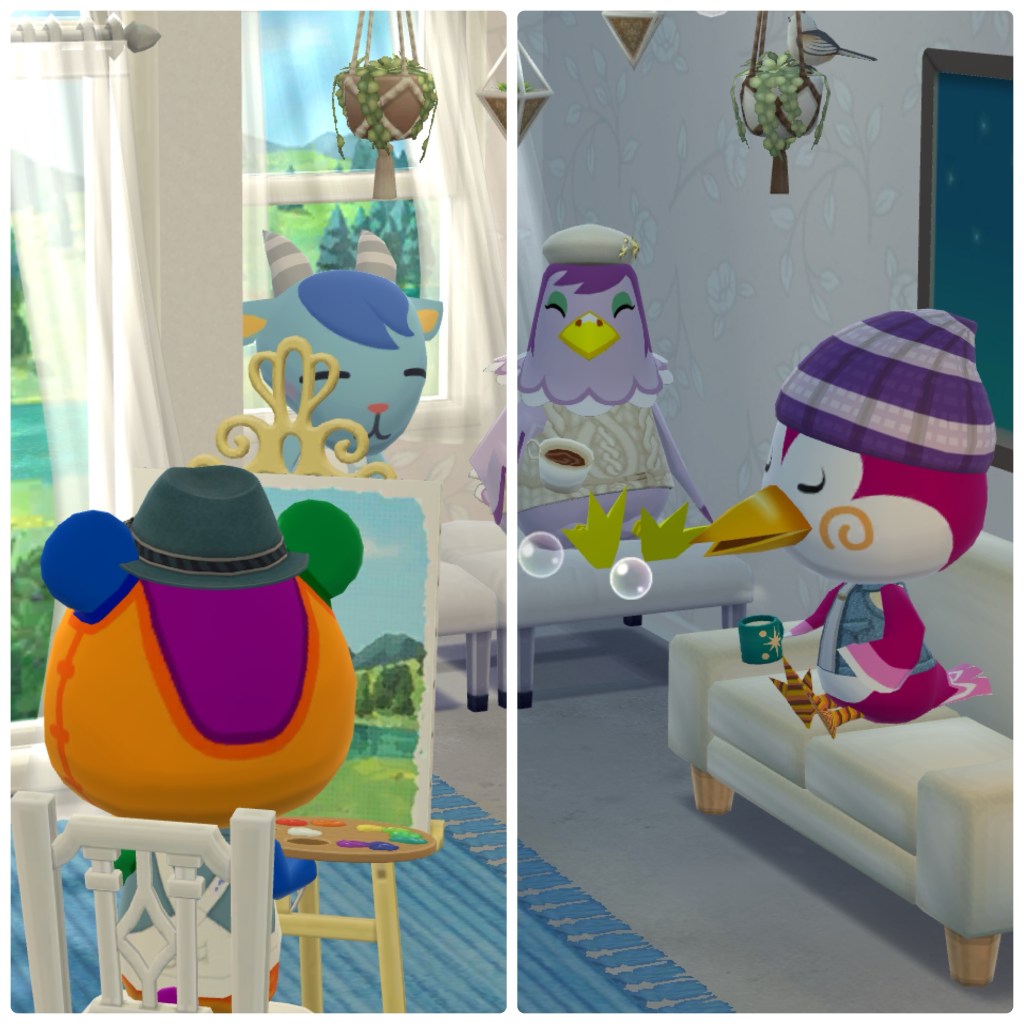
For a more direct comparison of day versus night, the following snapshot is divided into two. Both sides use natural and ambient light (fill light on, windows on), but the left half was taken during the day, and the right half at night.
Nota Bene
Fill light is extremely helpful and convenient in many different use cases, but there is one important thing to remember: fill light brightens everything in the scene, so items that already have their own light will become even brighter when fill light is on. You can see an example in the following image: the left side has fill light on while the right has it off.
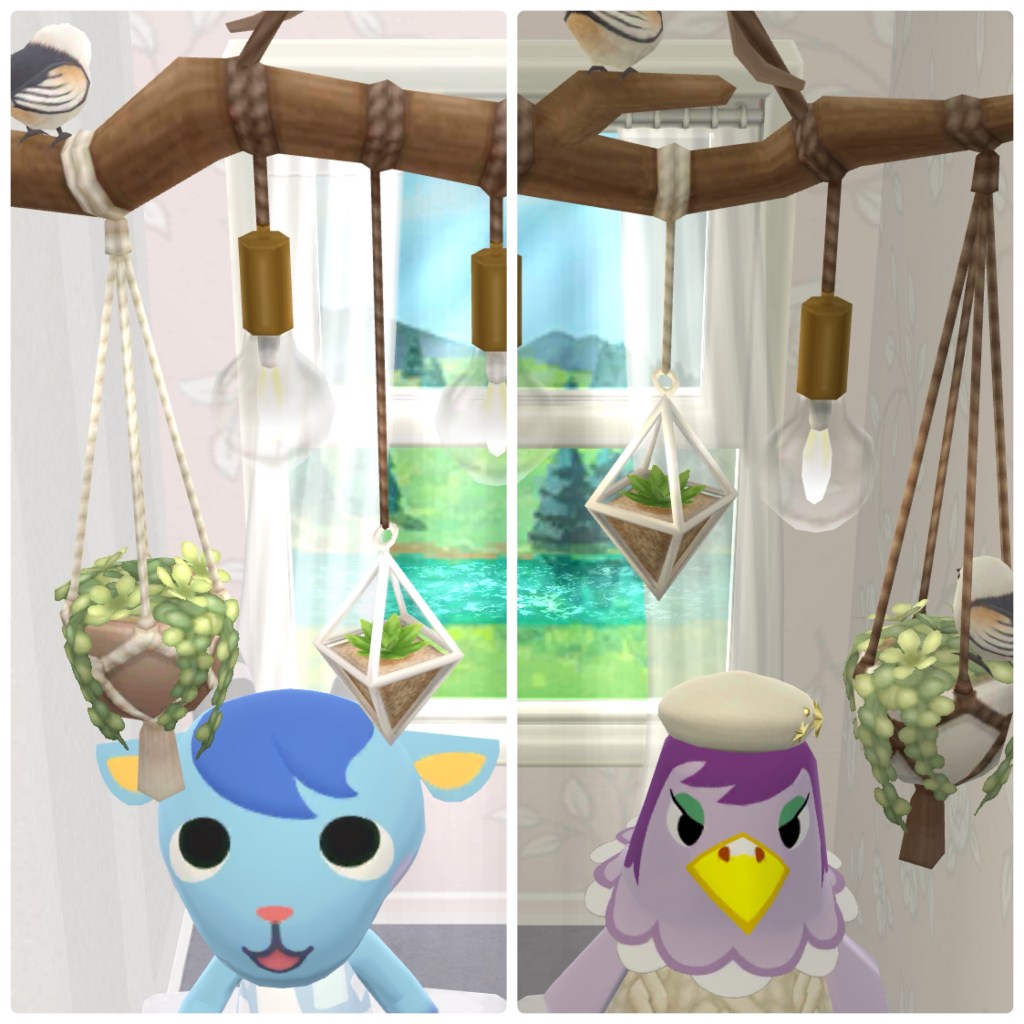
As you can see, the details of the lightbulbs in the hanging lights get washed out by the fill light, making it look like the lightbulbs are empty. This probably doesn’t seem like that big of a deal, but if your lighting items are really bright on their own, adding fill light to the scene can be too bright.
Conclusion
While playing with the room lighting settings is not necessary to play and enjoy the game, doing so can open up some fun new design possibilities as well as add some challenge to designing your cabins. I hope this post has been informative to that end, and stay tuned for the upcoming post about lighting items!
 Short and Sweet WTF
Leave a comment